Balancing AI Tasks Across CPUs and GPUs in Rack-Scale Systems
Understanding the Resource Needs of Your AI Workloads
Before you can match AI workloads to CPUs and GPUs, you need a clear picture of what each task actually demands. Training a large language model and running inference on a single image require very different hardware profiles. Training is memory- and bandwidth-hungry, often saturating the interconnect between accelerators for days or weeks. Inference, by contrast, tends to be latency-sensitive and can run on smaller batches, making power efficiency a bigger concern.
The first step is to classify your workloads by three axes: compute intensity, memory footprint, and acceptable latency. A recommendation engine that updates models daily will need sustained throughput, while a real-time video analytics pipeline may need low-latency inference on a stream of frames. Rack-scale computing helps here, because it lets you pool resources across multiple nodes and allocate them dynamically. But you have to know what you are pooling before you can configure the rack.
Mapping Workloads to CPU and GPU Resources
Once you have classified the workloads, the next step is to map them to the hardware that handles them efficiently. CPUs excel at sequential logic, branching code, and tasks that are hard to parallelise. They also manage the orchestration layer: loading data, running preprocessing scripts, and coordinating model inference or training across GPUs. For many AI pipelines, the CPU is the bottleneck not because it computes slowly, but because it has to feed data to the GPU fast enough.
GPUs, on the other hand, are built for parallel floating-point math. They shine in matrix multiplications and convolutions, which are the backbone of deep learning. If your workload involves large batches of data that can be processed simultaneously, a GPU will outperform a CPU by a wide margin. But GPUs cost more in power and heat, and they are not always the right choice for every stage of the pipeline.

A practical approach is to start with the most resource-intensive task first. If you are training a model, the GPU is your primary compute unit. You need enough memory bandwidth to keep the GPU fed, and enough VRAM to hold the model and its intermediate results. For inference, you may find that a well-tuned CPU can handle many requests per second, especially if the model is small or quantised. This is where memory bandwidth and power efficiency become deciding factors. A CPU-based inference server can use less power per request than a GPU, which matters when you run many instances across a rack.
Configuring the Rack for Mixed Workloads
Rack-scale computing means you treat the entire rack as a single resource pool. You do not assign one server to training and another to inference permanently. Instead, you configure the interconnect and the management software so that any node can take on any role depending on demand. This flexibility is valuable when workloads vary over time, such as during a product launch or an end-of-month batch job.
To make this work, you need to think about three things: power, cooling, and bandwidth. A rack that is fully populated with GPUs draws much more power than a CPU-only rack. You must ensure the power budget can handle peak draw without tripping breakers. Cooling becomes critical because GPUs generate heat densely. If your data centre uses air cooling, you may need to leave gaps between GPU nodes or use liquid cooling for the hottest racks.
Bandwidth is the third factor. The interconnect between nodes, typically Ethernet or InfiniBand, must be fast enough to move data between CPU and GPU nodes without creating a bottleneck. For model training, the interconnect speed can make or break scaling efficiency. A slow interconnect means GPUs spend time waiting for data, which wastes the investment in those accelerators.
Choosing Between CPU-Only and GPU-Accelerated Nodes
Not every node in a rack needs a GPU. In fact, many AI pipelines are better served by a mix. Consider a typical workflow: data ingestion and preprocessing on CPU nodes, model training on GPU nodes, then inference on a combination of CPU and GPU nodes depending on latency requirements. The preprocessing stage involves reading files, parsing formats, and applying transformations. These are I/O-bound and CPU-bound tasks that do not benefit from GPU parallelism. Running them on a GPU would waste cycles and consume power for no gain.
For inference, the choice depends on the model size and the request rate. A small model that fits in CPU cache can respond in microseconds, which is faster than the overhead of transferring data to a GPU. A large model that requires high throughput, such as a machine translation service handling thousands of requests per second, benefits from GPU acceleration. In that case, you might dedicate a subset of GPU nodes to inference and keep the rest for training.

Memory bandwidth is another consideration. CPUs with large caches and high memory bandwidth can handle inference for many small models efficiently. GPUs with high VRAM are better for large models that cannot fit in CPU memory. The trade-off often comes down to total cost ownership over the life of the rack. A CPU-only node may cost less upfront and use less power, but a GPU node can handle more requests per second, potentially lowering the number of nodes you need.
When evaluating hardware, look at the specific numbers for memory bandwidth and interconnect speed. A GPU with high memory bandwidth but a slow interconnect may be underutilised if the data cannot arrive quickly enough. Similarly, a CPU with many cores but low memory bandwidth may stall when loading large models. The goal is balance: no single component should be a bottleneck for the workloads you plan to run.
Monitoring and Adjusting the Allocation
After you have set up the rack and started running workloads, the work is not done. You need to monitor actual usage and adjust the resource allocation over time. Metrics to watch include GPU utilisation, memory usage, power draw, and request latency. If a GPU is consistently under 50 percent utilisation, you may be over-provisioned. You could move some inference tasks to CPU nodes and repurpose the GPU for training, or reduce the number of GPU nodes in the rack.
Power efficiency is a key metric in rack-scale computing. A rack that draws full power but delivers low throughput is a waste. You can use software tools to schedule tasks during off-peak hours or to throttle power when the rack is idle. Some systems can dynamically adjust the clock speed of CPUs and GPUs to match the workload, saving energy without sacrificing performance.
Interconnect utilisation is also worth monitoring. If the link between nodes is saturated, you may need to upgrade to a faster interconnect or reduce the amount of data transferred. Techniques like gradient compression in training can reduce the bandwidth needed without affecting model accuracy. For inference, batching requests can improve throughput and reduce the number of network round trips.
Finally, keep an eye on the total cost ownership. As workloads change, you may find that a different mix of CPU and GPU nodes is more cost-effective. For example, if you shift from training a large model to serving many small models, you might sell some GPU nodes and buy more CPU nodes. Rack-scale computing makes this easier because the infrastructure is modular and the management software can handle reconfiguration.
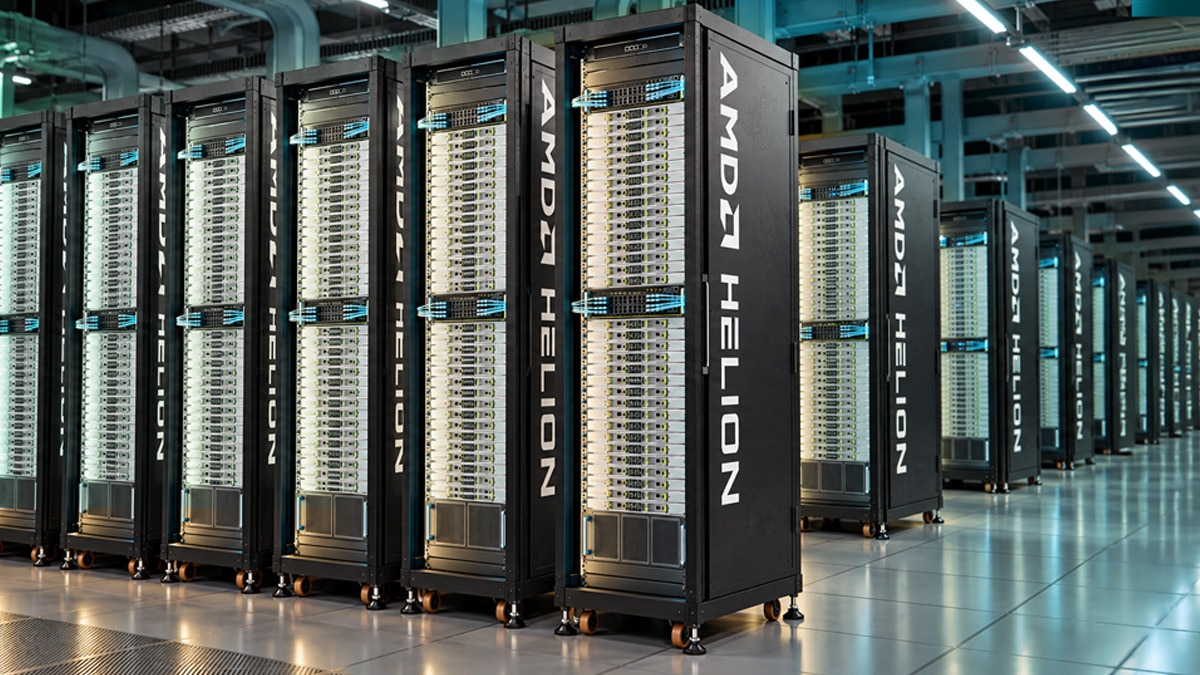
Throughout this process, it helps to stay informed about the latest hardware and software developments. Companies like AMD continue to introduce CPUs and GPUs designed for AI workloads, with improvements in memory bandwidth, power efficiency, and interconnect support. Keeping an eye on these advancements can guide your decisions when it is time to refresh the rack.
Matching AI workloads to CPU and GPU resources in a rack-scale environment is an ongoing balancing act. It starts with understanding the workloads, then mapping them to the right hardware, configuring the rack for flexibility, and monitoring the results to make adjustments. The payoff is a system that uses power efficiently, delivers good performance, and adapts to changing demands without requiring a full redesign each time.